BELOW IS A SIMPLE STEP BY STEP GUIDE TO SET UP YOUR EMAILS ON YOUR COMPUTER.
In Outlook Express:
Firstly on your computer open outlook express.
STEP 1:
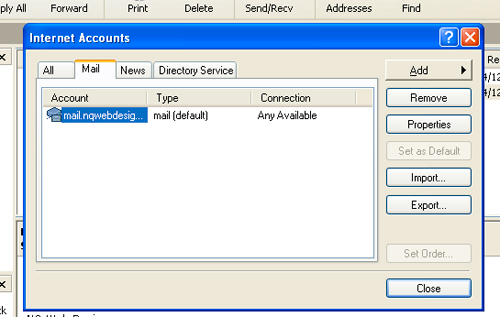
On the outlook menu click: Tools > Accounts, then click: Add > Mail
STEP 2:
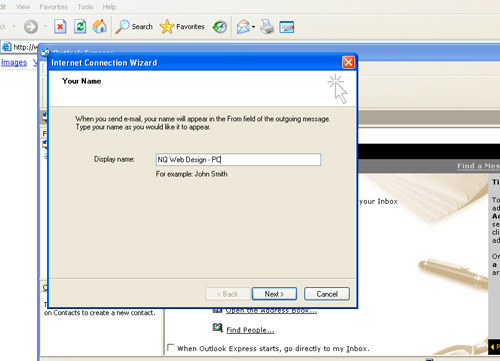
Enter your name (or business name), then click next.
STEP 3:
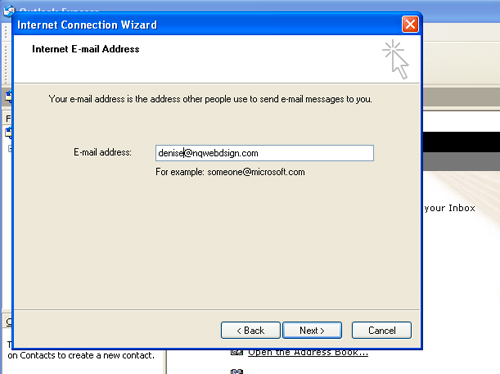
Enter your email address …
“[email protected]” then click next.
STEP 4:
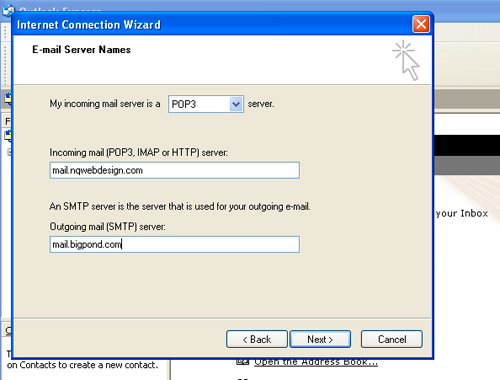
- “Incoming Mail Server” should be set to POP3
- The field labelled “Incoming mail” should be: mail.yourdomainname.com.au
- The outgoing mail field should be set to as above to your domain name or to your service provider i.e. mail.bigpond.com.
Once you have filled in the required information click next.
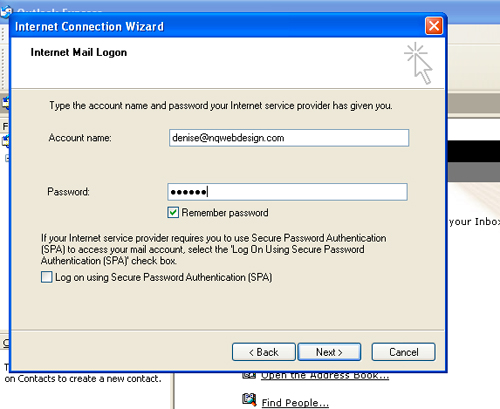
STEP 5
Enter your user name and password. Your username will be your full email address. eg.“[email protected]”. Click Next
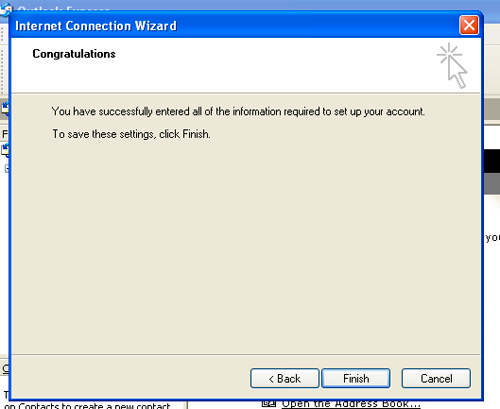
DONE
Click: Finish and then Close.
Make sure you tick the box and make this email address your default email.